
What is deleted
- Your profile: name, email address and picture
- Every app and site you built, including any domains you connected
- Files and images you uploaded to your media library
- Preferences, connected integrations and API keys
Your account
You can delete your account yourself, from inside the product, at any time. It takes about a minute and you do not need to ask us first.
Log in to YeshBe with the account you want to delete.
Click your profile picture in the top corner and choose Account settings.
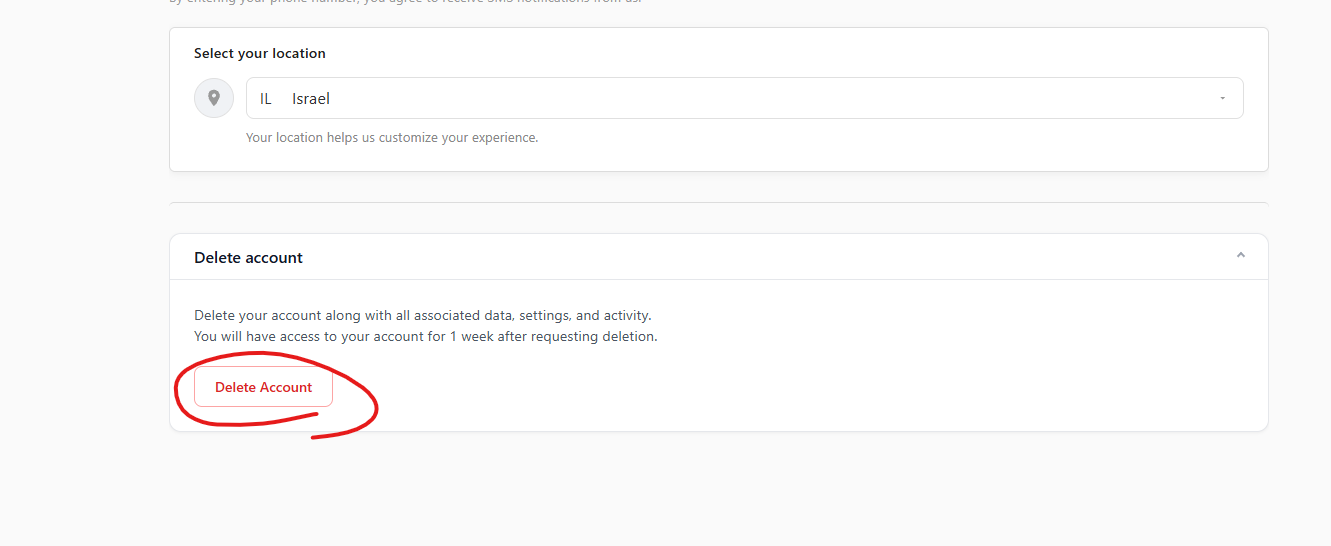
The Delete account section sits at the end of the page, below the rest of your settings.
Tick the confirmation box, then press Delete account. The account and everything in it are removed straight away.
Deletion is final — neither the account nor its content can be restored afterwards, so publish or export anything you want to keep before you start. An active subscription is cancelled as part of the deletion.
If you have lost access to the account, email us from the address you signed up with and we will delete it for you within 30 days. Write to support@yeshbe.com
Start with one sentence. You can change everything after you see it.
Free to start. No credit card.